roboflow/supervision · error · ValueError
opacity must be between 0.0 and 1.0
Error message
opacity must be between 0.0 and 1.0
What it means
Raised by `sv.tint_image` when `opacity` is outside [0.0, 1.0]. Opacity is used directly as the `alpha` weight in `cv2.addWeighted`, so out-of-range values are meaningless (and negative values would produce corrupt pixels). The inclusive bounds allow exactly 0 (no tint) and 1 (solid color).
Solutions
- Convert percentages: `opacity=pct / 100.0`.
- Clamp computed values: `opacity = min(1.0, max(0.0, opacity))`.
- For fade animations, wrap the loop variable: `opacity=i / n_steps` bounded to <= 1.
Example fix
# before
tinted = sv.tint_image(image=image, color=sv.Color.ROBOFLOW, opacity=50)
# after
tinted = sv.tint_image(image=image, color=sv.Color.ROBOFLOW, opacity=0.5)
Defensive patterns
Strategy: validation
Validate before calling
assert 0.0 <= opacity <= 1.0, f'opacity out of range: {opacity}'
opacity = min(1.0, max(0.0, opacity))
Type guard
def is_valid_opacity(x: Any) -> bool:
    return isinstance(x, (int, float)) and 0.0 <= x <= 1.0
Prevention
- Store opacity as a 0-1 float in configs, not a percent.
- Clamp values coming from sliders or arithmetic.
- Bound fade/animation loops so opacity never exceeds 1.
When it happens
Trigger: Passing `opacity=50` (percent instead of fraction); computing opacity from a ratio that exceeds 1 due to float accumulation; negated variable passing -0.3.
Common situations: Config files storing percentages 0-100; UI sliders reporting 0-100 ranges fed straight into the call; overlay loops that increment opacity past 1.0 for fade effects.
Related errors
- Scale factor must be positive.
- Could not aggregate images shape - provided unknown mode
- Could not create image tiles from empty list of images.
- Opacity must be between 0.0 and 1.0.
- All data values within a single object must have equal…
AI-assisted analysis of roboflow/supervision@7f254d9784 (2026-08-15).
Data as JSON: /api/errors/530c3c8d49fa3375.
Report an issue: GitHub.
Appendix: source
Thrown at src/supervision/utils/image.py:568
ValueError: If opacity is outside range [0.0, 1.0].
Examples:
```pycon
>>> import numpy as np
>>> import supervision as sv
>>> image = np.zeros((100, 100, 3), dtype=np.uint8)
>>> tinted_image = sv.tint_image(
... image=image, color=sv.Color.ROBOFLOW, opacity=0.5
... )
>>> tinted_image.shape
(100, 100, 3)
```
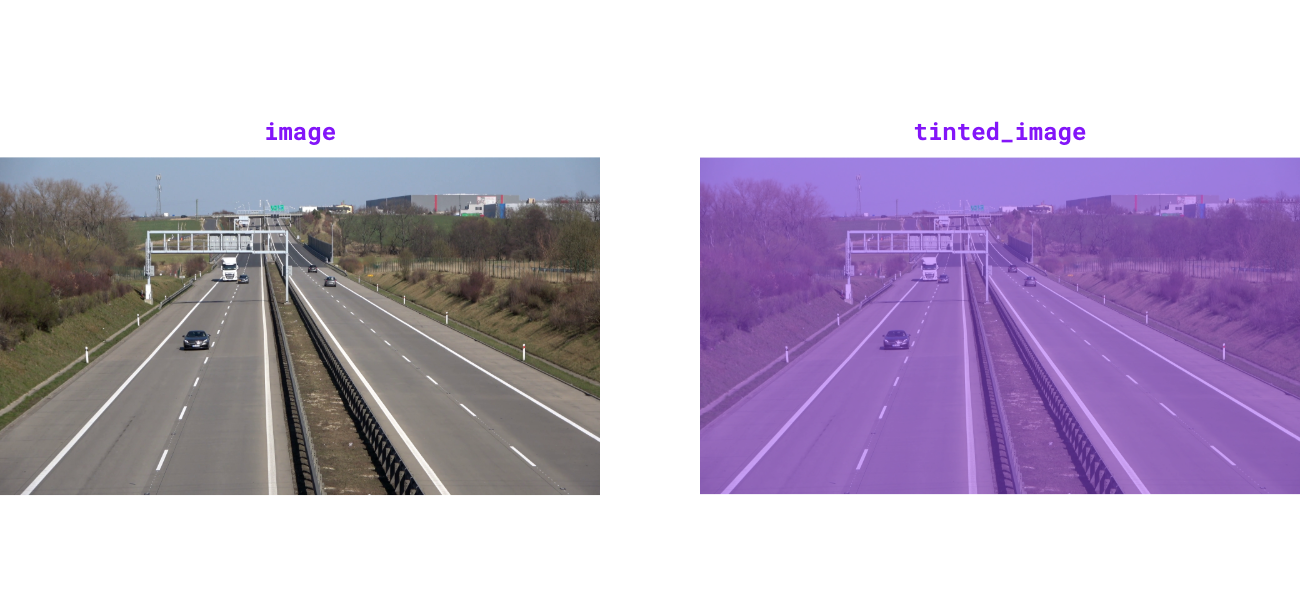{ align=center width="1000" }
""" # noqa E501 // docs
if not 0.0 <= opacity <= 1.0:
raise ValueError("opacity must be between 0.0 and 1.0")
overlay = np.full_like(image, fill_value=color.as_bgr(), dtype=image.dtype)
cv2.addWeighted(
src1=overlay, alpha=opacity, src2=image, beta=1 - opacity, gamma=0, dst=image
)
return image
@ensure_cv2_image_for_standalone_function
def grayscale_image(image: ImageType) -> ImageType:
"""
Convert image to 3-channel grayscale. Luminance channel is broadcast to
all three channels for compatibility with color-based drawing helpers.
Args:
image: The image to convert to
grayscale.
View on GitHub (pinned to 7f254d9784)