roboflow/supervision · error · ValueError
Scale factor must be positive.
Error message
Scale factor must be positive.
What it means
Raised by `sv.scale_image` when `scale_factor <= 0`. A non-positive factor would produce zero or negative dimensions, which `cv2.resize` cannot handle and would crash deeper with a less understandable error. The guard makes the contract explicit: any strictly positive factor (including values < 1.0 for zoom-out) is accepted.
Solutions
- Pass a positive factor: use 0.5 to halve, 2.0 to double.
- If the factor is computed, guard the denominator and clamp: `factor = max(1e-6, target_w / src_w)`.
- For percentages, convert first: `scale_factor=pct / 100.0`.
Example fix
# before
scaled = sv.scale_image(image=image, scale_factor=0)
# after
scaled = sv.scale_image(image=image, scale_factor=0.5)
Defensive patterns
Strategy: validation
Validate before calling
assert scale_factor > 0, f'scale_factor must be > 0, got {scale_factor}'
# if computed:
scale_factor = max(scale_factor, 1e-6)
Type guard
def is_positive_scale(x: Any) -> bool:
    return isinstance(x, (int, float)) and x > 0
Prevention
- Convert percent configs to fractions before passing.
- Guard denominators when computing scale as a ratio.
- Validate UI/config inputs at load time.
When it happens
Trigger: Calling `sv.scale_image(image=image, scale_factor=0)`; computing the factor as a ratio that divides by zero or by a wrong variable; a config/UI default of 0 reaching the call.
Common situations: Computing `scale = target / current` where `current` is 0 due to reading resolution before image load; sign errors or swapped numerator/denominator producing 0; percentage values (50) passed where a fraction (0.5) was expected and then multiplied somewhere to 0.
Related errors
- opacity must be between 0.0 and 1.0
- Could not aggregate images shape - provided unknown mode
- Could not create image tiles from empty list of images.
- All data values within a single object must have equal…
- All KeyPoints must have the same coordinate depth per…
AI-assisted analysis of roboflow/supervision@7f254d9784 (2026-08-15).
Data as JSON: /api/errors/a16209071aa2fde7.
Report an issue: GitHub.
Appendix: source
Thrown at src/supervision/utils/image.py:271
>>> scaled_image.shape
(540, 960, 3)
```
```pycon
>>> image = np.zeros((1920, 1080), dtype=np.uint8)
>>> image.shape
(1920, 1080)
>>> scaled_image = sv.scale_image(image=image, scale_factor=0.5)
>>> scaled_image.shape
(960, 540)
```
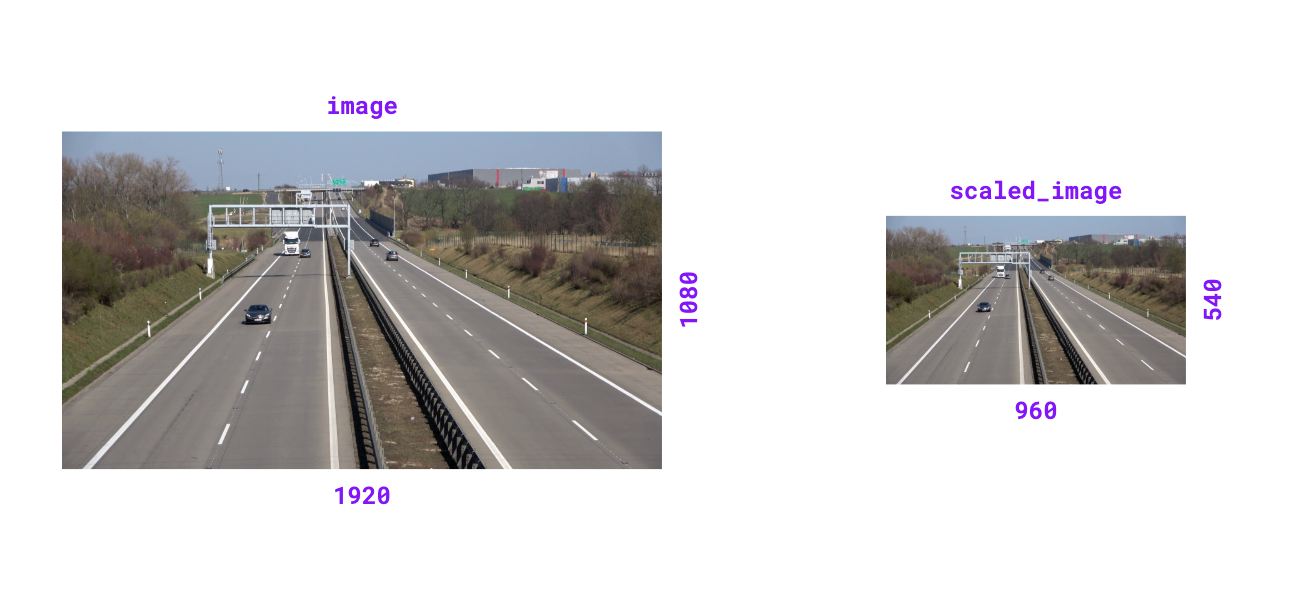{ align=center width="1000" }
""" # noqa E501 // docs
if scale_factor <= 0:
raise ValueError("Scale factor must be positive.")
width_old, height_old = image.shape[1], image.shape[0]
width_new = int(width_old * scale_factor)
height_new = int(height_old * scale_factor)
return cast(
npt.NDArray[np.uint8],
cv2.resize(image, (width_new, height_new), interpolation=cv2.INTER_LINEAR),
)
@ensure_cv2_image_for_standalone_function
def resize_image(
image: ImageType,
resolution_wh: tuple[int, int],
keep_aspect_ratio: bool = False,
) -> ImageType:
"""
Resize image to specified resolution. Can optionally maintain aspect ratio.View on GitHub (pinned to 7f254d9784)